
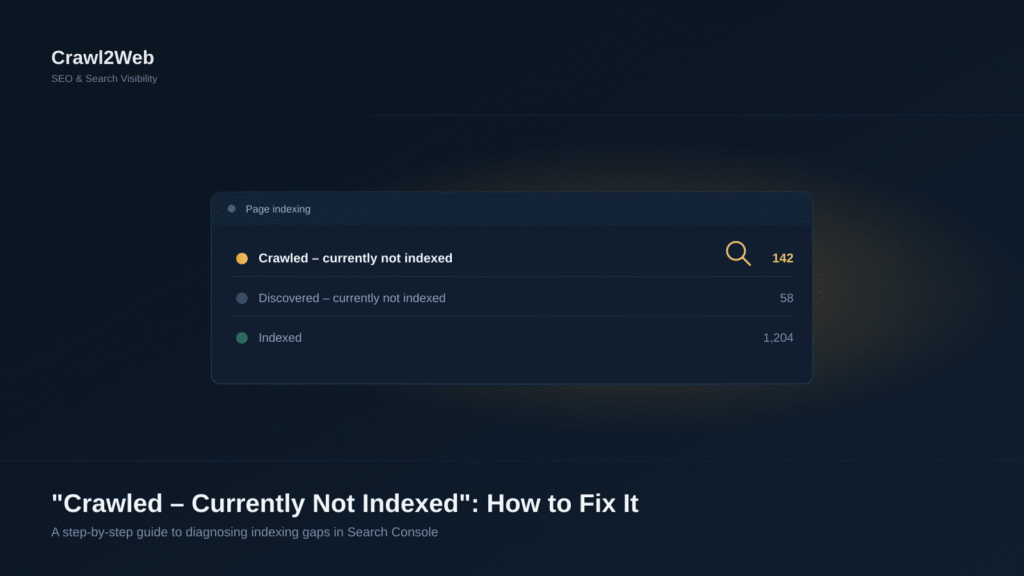
If you open the Page Indexing report in Google Search Console and see “Crawled – currently not indexed” next to your URLs, here’s the short answer: Google has visited the page, read its content, and decided — for now — not to add it to the search index. This is different from Google not finding the page at all. The page exists on Google’s radar; it just hasn’t earned a place in the index yet, and in some cases it may have already been removed from it.
This guide explains why that happens, how to tell if it’s actually a problem, and the specific steps to fix it.
What Does “Crawled – Currently Not Indexed” Mean in Google Search Console?
This status appears in the Indexing → Pages report when Googlebot has successfully crawled a URL but chosen not to include it in the search index. Google’s own documentation describes it as a page that was crawled but not indexed, which may or may not be indexed later, with no need to resubmit the URL for crawling.
This status can mean two different things in practice:
- The page was never indexed — Google evaluated it after the first crawl and passed on it.
- The page was indexed before and has since been dropped — content quality declined, a competing page took its place, or the page lost relevance.
Checking your Performance report for historical impressions on the URL is a quick way to tell which situation you’re in.
Why Has Google Crawled My Page but Not Indexed It?
Crawling and indexing are two separate steps, and confusing them is the root of most confusion around this status:
- Crawling is Googlebot visiting a URL and downloading its content.
- Indexing is Google deciding to store that page in its database so it can potentially appear in search results.
A page can be crawled perfectly and still not indexed if Google doesn’t see enough reason to keep it. The most common causes are:
- Thin or low-value content
- Duplicate or near-duplicate content elsewhere on the site
- Weak internal linking, so Google can’t gauge the page’s importance
- Canonical tags pointing elsewhere
- Rendering issues that hide the real content from Googlebot
- The page simply not matching any meaningful search demand
Is “Crawled – Currently Not Indexed” an SEO Problem?
It depends on the page. If it’s a low-priority utility page — an internal search results page, a thin tag archive, or a near-duplicate filter URL — this status is often harmless and doesn’t need action. If it’s a page you actually want to rank, such as a service page, blog post, or product page, it’s worth investigating, because the page can’t generate organic traffic while it’s excluded from the index.
A useful gut check: does this specific URL offer something genuinely different from what’s already indexed on your site or ranking elsewhere for the same query? If not, that’s usually the real issue.
How Long Does It Take Google to Index a Crawled Page?
There’s no fixed timeline. Some pages move from “crawled” to “indexed” within a day; others sit in this state for weeks or months. Google has indicated there’s no need to resubmit the URL repeatedly, since re-requesting indexing on an unchanged page rarely speeds anything up. If a page has sat in this status for an extended period with no historical indexing, that’s a signal Google isn’t finding sufficient value in it — not a queue you can wait out.
How Do I Fix “Crawled – Currently Not Indexed” in Google Search Console?
Work through these steps in order rather than jumping straight to “Request Indexing.”
Step 1: Confirm the current status
Use URL Inspection and paste the exact URL. Run the live test to confirm the issue still applies — reports can lag behind reality.
Step 2: Review content quality and uniqueness
Ask whether the page says something genuinely different from your other pages and from top-ranking competitors. Thin or templated pages are frequent candidates for exclusion — expand them with specific, useful information rather than generic filler.
Step 3: Check search intent
Compare your page against what’s currently ranking for its target query. If your format or depth doesn’t match what searchers expect, Google may not see it as worth indexing for that space.
Step 4: Strengthen internal linking
Pages with few or no internal links look unimportant to Google. Link to the page from relevant, indexed pages with descriptive anchor text so it isn’t orphaned.
Step 5: Check canonical tags
Confirm the canonical tag points to itself, unless you deliberately want it consolidated elsewhere. A canonical pointing to another URL tells Google to index that page instead.
Step 6: Review robots.txt and noindex directives
Visit yourdomain.com/robots.txt to confirm the page isn’t disallowed, and check for a stray noindex tag or header. These don’t usually cause a “crawled” status, but outdated signals are worth ruling out.
Step 7: Validate HTTP status codes
Confirm the URL returns a clean 200 OK and isn’t quietly redirecting or soft-404-ing. URL Inspection shows the HTTP status Google received.
Step 8: Update your XML sitemap
Make sure the URL is in your sitemap with an accurate lastmod date, and remove low-value URLs that dilute how Google prioritizes the pages that matter.
Step 9: Request indexing — after making changes
Use Request Indexing only once you’ve made a meaningful improvement. Requesting it on unchanged content rarely changes the outcome, since Google is re-evaluating the same page it already passed on.
Can Thin or Low-Quality Content Prevent Google from Indexing a Page?
Yes. This is one of the most common reasons for this status. Pages with very little original text, content copied or lightly reworded from other sources, or auto-generated pages that don’t answer a specific need are frequently crawled and then excluded. The fix is to add genuinely useful detail — specifics, examples, data, or first-hand information the page didn’t have before.
Can Duplicate Content and Canonical Tags Cause Indexing Problems?
Yes. When multiple URLs on your site cover very similar ground — for example, a product available in several colors each with its own URL — Google often indexes only one version and treats the rest as duplicates. Use self-referencing canonical tags on pages meant to stand alone, and consolidate or canonicalize near-duplicate variants toward a single preferred URL.
How Do Internal Links Help Google Index a Page?
Internal links do two things: they help Googlebot discover the page more efficiently, and they signal how important that page is relative to the rest of your site. A page linked only from a sitemap, with no in-content links pointing to it, sends a weak importance signal. Linking to it from related, already-indexed content — using natural, descriptive anchor text — helps Google both find and prioritize it.
Should Every Important Page Be Included in the XML Sitemap?
Yes, important, indexable pages should be in your sitemap. But a sitemap isn’t just a discovery list — it’s also a quality signal. Including thin, duplicate, or non-canonical URLs alongside your important pages can dilute how Google interprets your site’s overall quality. Keep the sitemap limited to pages you genuinely want indexed.
How Do I Check Robots.txt, Noindex Tags and Canonical URLs for Indexing Issues?
- Robots.txt: Visit
yourdomain.com/robots.txtdirectly and look forDisallowrules affecting the page’s path. - Noindex tags: View page source (or use URL Inspection’s “Indexing allowed?” field) and search for
noindexin the meta robots tag or theX-Robots-TagHTTP header. - Canonical URLs: Check the
<link rel="canonical">tag in the page’s<head>, and compare it against the “User-declared canonical” and “Google-selected canonical” fields in URL Inspection — these can differ, and when they do, Google’s choice is what matters for indexing.
Should I Use “Request Indexing” After Updating the Page?
Yes, but only after a real update — new content, fixed canonical tags, added internal links, or resolved technical errors. Requesting indexing puts the URL into a priority crawl queue; it doesn’t override Google’s quality evaluation. Repeatedly clicking it on an unchanged page adds no benefit.
Why Does a Page Remain Unindexed Even After Requesting Indexing?
Because Request Indexing only changes crawl priority, not Google’s assessment of the page. If the underlying reason for exclusion — thin content, duplication, weak links, wrong canonical — hasn’t changed, Google will typically reach the same conclusion on re-crawl. Treat “Request Indexing” as a way to speed up a recrawl after a genuine fix, not a way to force inclusion.
How Can I Prevent “Crawled – Currently Not Indexed” Issues in the Future?
- Publish pages only when they offer clear, distinct value — avoid thin or near-duplicate URLs from the start.
- Build internal links to new pages as soon as they go live, from relevant existing content.
- Keep canonical tags accurate and consistent across templated or variant pages.
- Maintain a clean, accurate XML sitemap limited to pages worth indexing.
- Monitor the Page Indexing report periodically rather than only after traffic drops, so you catch newly excluded pages early.
If your site is being optimized for both traditional search and AI-driven answer engines, indexing is the foundation both depend on — a page has to be indexed before it can be cited by an AI Overview, ChatGPT, Gemini, or Perplexity, so resolving indexing gaps is often a prerequisite for AI answer engine visibility as much as for traditional rankings. For structural or content-quality issues that touch multiple pages at once, a broader SEO audit can help identify patterns across the site rather than fixing URLs one at a time.
For more detail on how Google evaluates individual URLs, see Google’s own URL Inspection tool documentation.
FAQ
Does “Crawled – currently not indexed” mean my page was penalized?
No — it isn’t a manual penalty. It reflects Google’s normal quality evaluation, not a guidelines violation.
Will resubmitting the same page repeatedly help?
No. Repeated requests on unchanged content don’t improve the outcome — Google needs a substantive reason to reassess.
Can a page move from “Indexed” to “Crawled – currently not indexed” on its own?
Yes. Pages can be dropped over time if their relative quality, relevance, or uniqueness declines.
Is this the same as “Discovered – currently not indexed”?
No. “Discovered” means Google hasn’t crawled the page yet. “Crawled” means Google already evaluated it and chose not to index it.
Should I delete pages stuck in this status?
Only if they offer no real value. Improve pages that matter; redirect or consolidate ones that are redundant.

Vishal is a Digital Marketing Specialist, SEO Consultant and AEO (Answer Engine Optimisation) Specialist with over 6 years of experience in the digital marketing industry. He has worked on 50+ projects across multiple industries, helping businesses improve their online visibility, organic search performance and digital presence.
His expertise includes Technical SEO, On-Page SEO, Off-Page SEO, Local SEO, Google Ads, Content Optimisation, AI SEO, Generative Engine Optimisation (GEO) and Answer Engine Optimisation (AEO).
Vishal specialises in developing SEO strategies that help businesses improve their visibility across traditional search engines like Google and emerging AI-powered platforms such as ChatGPT, Google Gemini and Perplexity.
He also works with Google Analytics 4 (GA4), Google Search Console and Looker Studio to monitor website performance, analyse search trends and measure digital marketing results.
Through his practical experience working with businesses across different industries, Vishal shares actionable insights, industry knowledge and proven digital marketing practices to help businesses strengthen their online presence and adapt to the evolving search landscape.